Personal Access Tokens & basic auth are being retired across Azure DevOps, Jira, ServiceNow & more. Switch to OAuth 2.0 — fully supported in ADL Connect.
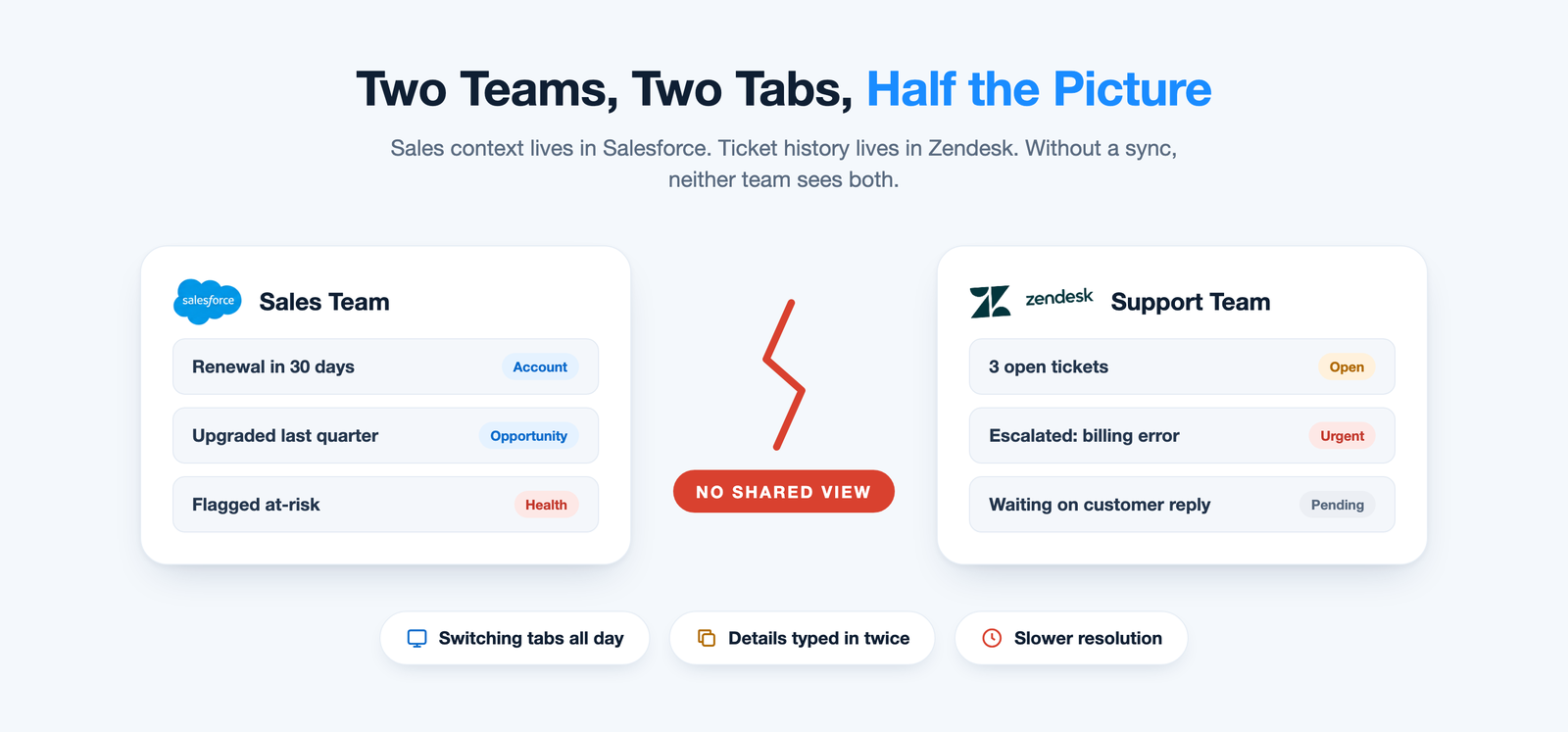
Your support team lives in Zendesk. Your sales and account data lives in Salesforce. Until the two systems talk to each other, both teams are working with half the picture.
Agents flip between two tabs to understand who they're helping. Sales reps walk into renewal calls with no idea the customer has open tickets. And the same customer details get typed in twice — once in each system. None of this is a people problem; it's a data problem.
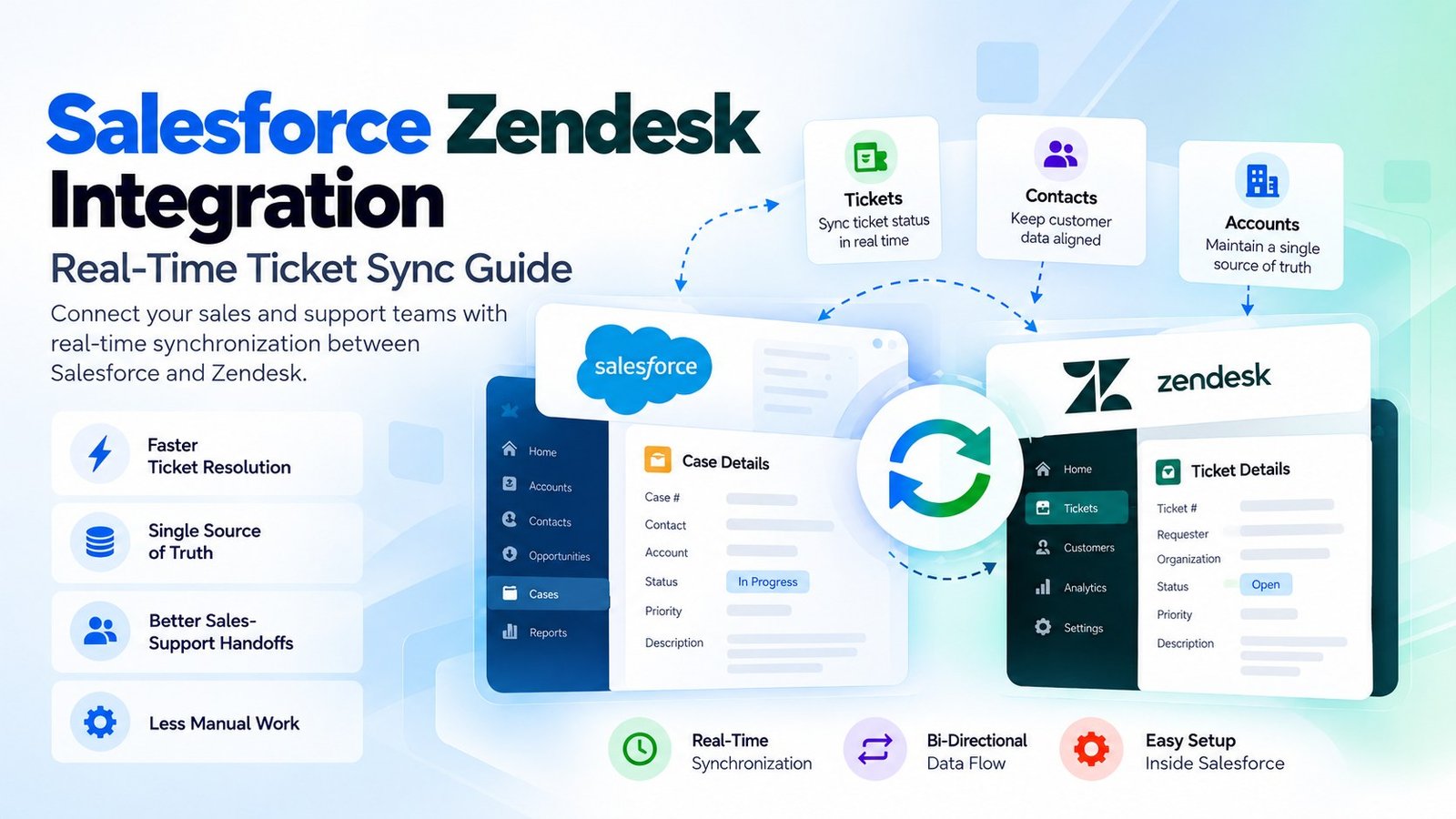
A proper Salesforce Zendesk integration closes that gap by syncing tickets, contacts, and account data between both platforms in real time, so neither team has to guess. This guide covers why teams need the integration, the three ways to set it up, and how to get it running in minutes rather than months of engineering work.
The problem
Why Sync Salesforce and Zendesk?
Support and sales run on different systems for good reason. Zendesk is built for ticket management; Salesforce is built for the customer relationship. Each is excellent at its own job.
The trouble starts at the boundary. Renewal dates, upgrade history, and account health sit on one side. Ticket volume, escalations, and customer sentiment sit on the other. Without a Salesforce Zendesk integration, nobody sees both at once — and decisions get made on partial information.
What it costs you
Six Problems That Show Up Quickly
When Salesforce and Zendesk don't share data, the same issues appear in almost every organization.
Agents lack account context
An agent can't tell whether the customer is mid-renewal, recently upgraded, or flagged as at-risk — context that should change how the ticket is handled.
Sales can't see support issues
A rep can walk into a renewal call unaware of three open tickets, and end up ignoring the customer's most pressing frustration.
Manual double entry
Someone copies customer details, ticket status, and case notes between systems by hand — time that adds up across hundreds of tickets a month.
Slower resolution times
When agents have to ask sales for context instead of seeing it directly, response times stretch and customer experience suffers.
Conflicting customer records
A phone number or contact gets updated in one system but not the other, and nobody is sure which version is correct.
Reporting blind spots
Leadership can't connect support volume to account value, so churn risk and cost-to-serve stay hidden until it's too late.
Your options
Salesforce Zendesk Integration Options Compared
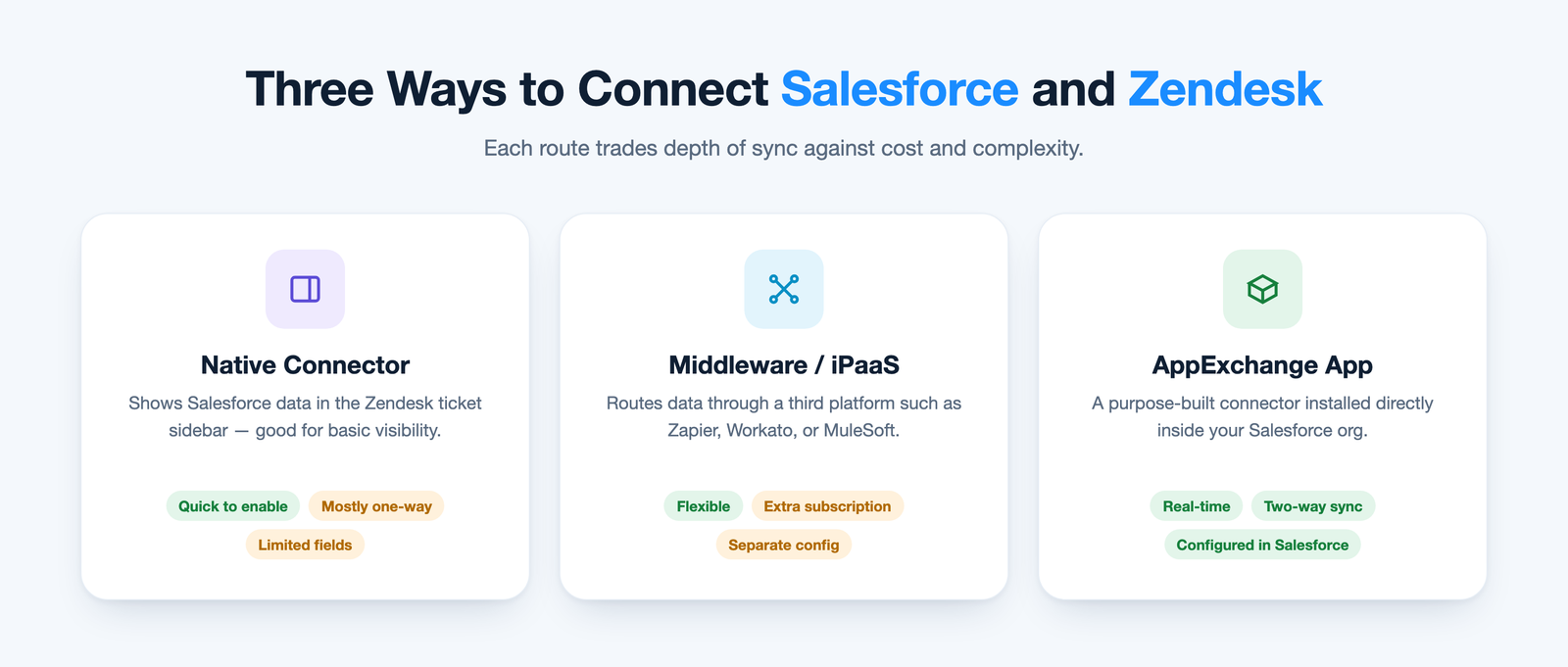
There are three broad ways to connect the two platforms. Each one makes a different trade-off between depth of sync, cost, and the effort it takes to run.
Which option fits depends on how deep the sync needs to go. Basic visibility may be fine with the native connector; teams that need genuine two-way, real-time data flow usually outgrow it quickly.
Native Zendesk connector
Zendesk's built-in integration surfaces Salesforce data in the ticket sidebar. It's quick to enable and fine for simple visibility, but sync is largely one-directional, field coverage is limited, and complex workflows such as real-time two-way ticket updates or custom object sync are out of reach.
Middleware / iPaaS platforms
Tools like Zapier, Workato, or MuleSoft add flexibility. The trade-off is cost and complexity: you pay for and maintain a third platform, setup usually needs technical help, and every workflow change means going back into the middleware rather than adjusting Salesforce directly.
Purpose-built AppExchange apps
Apps such as ADL Connect are built specifically for Salesforce and install directly into your existing org — no separate middleware layer. You get faster setup, real-time two-way sync, and configuration that lives inside Salesforce rather than a third-party dashboard.
At a glance
How the Three Approaches Stack Up
The same questions any Salesforce Zendesk integration evaluation should ask, answered side by side.
Capability
Native connector
Middleware / iPaaS
ADL Connect Best fit
Sync direction
LimitedMostly one-way per object.
FlexibleTwo-way, if you build it.
NativeBi-directional, set per field.
Sync speed
VariesDepends on the object.
VariesOften polling-based.
Real-timeChanges land in seconds.
Field mapping
LimitedFixed set of fields.
TechnicalConfigured per workflow.
No-codeStandard and custom fields.
Comments & attachments
LimitedPartial coverage.
CustomExtra steps to build.
IncludedSynced with the record.
Where it's managed
ZendeskAdmin settings.
Third partyA separate dashboard.
SalesforceInside your own org.
Extra platform cost
NoneIncluded with Zendesk.
OngoingSeparate subscription.
Free tierUpgrade as you grow.
The solution
How ADL Connect Syncs Salesforce and Zendesk in Real Time
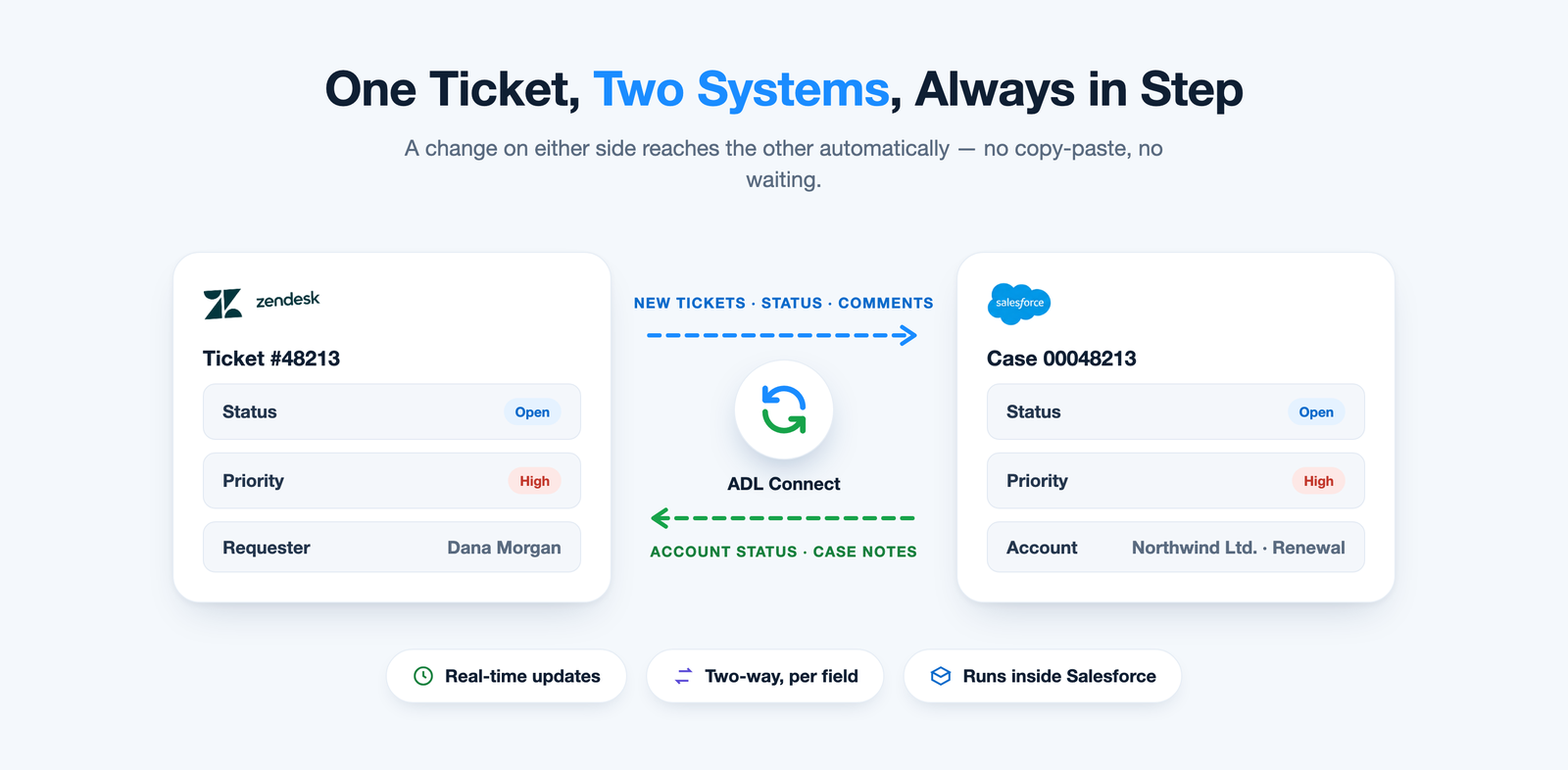
ADL Connect for Zendesk installs directly from the Salesforce AppExchange, so there's no external middleware to host, configure, or maintain. Once connected, it keeps ticket status, contact details, and account information moving between the two platforms automatically.
A new ticket in Zendesk appears on the related Salesforce record within seconds, and updates made in Salesforce — account status, case notes, priority — flow back to Zendesk the same way. Because it runs natively inside Salesforce, admins configure field mapping and sync rules with familiar Salesforce tools instead of learning a separate platform.
Capabilities
What ADL Connect Keeps in Sync
Everything a Salesforce Zendesk integration should cover, mapped and audited in both directions.
Zendesk tickets and Salesforce Cases, bidirectionally in real time
Ticket status, priority, subject, description, and assignee
Zendesk users and organizations alongside Salesforce Contacts and Accounts
Public comments and internal notes, with rich text preserved
Attachments, including images, PDFs, and documents
Custom fields, picklists, and custom objects through no-code mapping
A full audit history of every synced change
Step-by-step setup
Salesforce Zendesk Ticket Sync in Five Steps
No multi-month project and no middleware — most teams see their first sync in under 15 minutes.
1
Install from AppExchange
Add ADL Connect to your Salesforce org as a managed package. No external hosting and no IT ticket.
2
Connect your Zendesk account
Enter your Zendesk subdomain and authorize the connection through the guided OAuth flow, secured with Salesforce Named Credentials.
3
Map your fields
Choose what to sync — typically ticket status, subject, priority, and contact or account references — between Zendesk and Salesforce objects.
4
Set sync direction
For each field, choose one-way or two-way sync depending on which system should be the source of truth.
5
Test, then roll out
Run a sample ticket to confirm updates flow correctly in both directions before opening it up to the full team.
Need more detail on any step? The Zendesk connector user guide walks through installation, authentication, and field mapping screen by screen.
The payoff
Benefits of a Salesforce Zendesk Integration
What changes once Salesforce and Zendesk share the same, current data.
Faster ticket resolution
Agents see full account context without leaving Zendesk, so they can prioritize and respond with confidence.
A single source of truth
No more conflicting customer records — both systems reflect the same, up-to-date information.
Better sales–support handoffs
Sales sees open tickets before renewal or upsell conversations, and support sees what's at stake commercially.
Less manual work
Ticket and contact details stop being copied by hand, freeing hours every week for real customer work.
Churn risk caught earlier
Escalations on key accounts surface in Salesforce right away, so account teams can step in before renewal is at risk.
Complete reporting
Ticket data sits next to pipeline and account data, so Salesforce reports and dashboards show the full customer picture.
Customer feedback
What Teams Say About Their Salesforce Zendesk Integration
A few words from teams that connected Salesforce and Zendesk with ADL Connect.
★★★★★
“Our account managers finally see open tickets before they pick up the phone. Renewal calls stopped being ambushes.”
RT
Rachel T.VP of Customer Success, SaaS
★★★★★
“We were paying for a middleware tool just to move ticket status around. ADL Connect replaced it, and our admin manages everything inside Salesforce.”
OB
Omar B.Salesforce Administrator, Fintech
★★★★★
“Agents stopped pinging sales for account context. First-response quality went up the week we switched it on.”
LS
Laura S.Head of Support, E-commerce
Pricing
Plans That Grow With Your Team
Start free on AppExchange, connect a real workflow, and upgrade only when you need more scale.
Plan
Price
Key inclusions
StartupFree forever
$0
Up to 5 users, 1,000 callouts, the native AppExchange package, and business-hours support.
SilverGrowing teams
$129 / month
Up to 10 users, 2,000 callouts, and email & chat support with a 24-hour response.
EnterpriseBest value
$49 / month
First-year offer (renews at $199/month). Unlimited users and callouts, 24×7 priority support, and a dedicated account manager.
Prices are billed annually. See the full plan comparison on the ADL Connect for Zendesk page.
FAQ
Frequently Asked Questions
Does Zendesk have a native Salesforce integration?
Yes. Zendesk offers a basic native connector that displays Salesforce data inside the ticket sidebar. It provides visibility, but field sync is limited and it typically doesn't support real-time two-way updates. See Zendesk's own documentation for what it covers.
How long does it take to set up a Salesforce Zendesk integration?
With a purpose-built AppExchange app, setup typically takes well under an hour because there's no middleware to configure separately — ADL Connect users usually see their first sync in under 15 minutes. Native connectors are quick to enable too, but offer fewer configuration options.
Is middleware required to connect Salesforce and Zendesk?
No. Middleware platforms like Zapier or MuleSoft can connect the two systems, but purpose-built apps like ADL Connect run natively inside Salesforce, removing the need for a separate middleware layer.
Can I control which system is the source of truth?
Yes. ADL Connect lets you set sync direction field by field, so Salesforce can own account data while Zendesk owns ticket status — or any combination your process needs.
Is our data secure?
ADL Connect runs inside the Salesforce trust boundary and respects field-level security, profiles, and permissions. Credentials are stored in Salesforce Named Credentials and every synced change is logged. Read more on our Trust & Security page.
Ready to Sync Salesforce and Zendesk in Real Time?
A Salesforce Zendesk integration gives your sales and support teams the same, up-to-date view of every customer. Install ADL Connect free from the Salesforce AppExchange, or talk to our team about your workflow.