Personal Access Tokens & basic auth are being retired across Azure DevOps, Jira, ServiceNow & more. Switch to OAuth 2.0 — fully supported in ADL Connect.
The Complete Guide to Salesforce Jira Integration in 2026
Posted on
Updated on September 27, 2026
Author : ADL Solution
Salesforce × Jira · 2026 Integration Guide
Salesforce runs your customer relationships and support. Jira runs engineering and issue tracking. When they don’t talk to each other, teams pay for it in manual work, lost context, and slow resolutions — here’s how to close that gap in 2026.
As businesses grow, collaboration between customer-facing and engineering teams matters more than ever. Salesforce is the system of record for customer relationships and support cases, while Jira is where engineering plans work and tracks issues. The problem is that these two worlds usually run in isolation — forcing manual data entry, delayed hand-offs, and limited visibility into what’s happening with a customer’s issue.
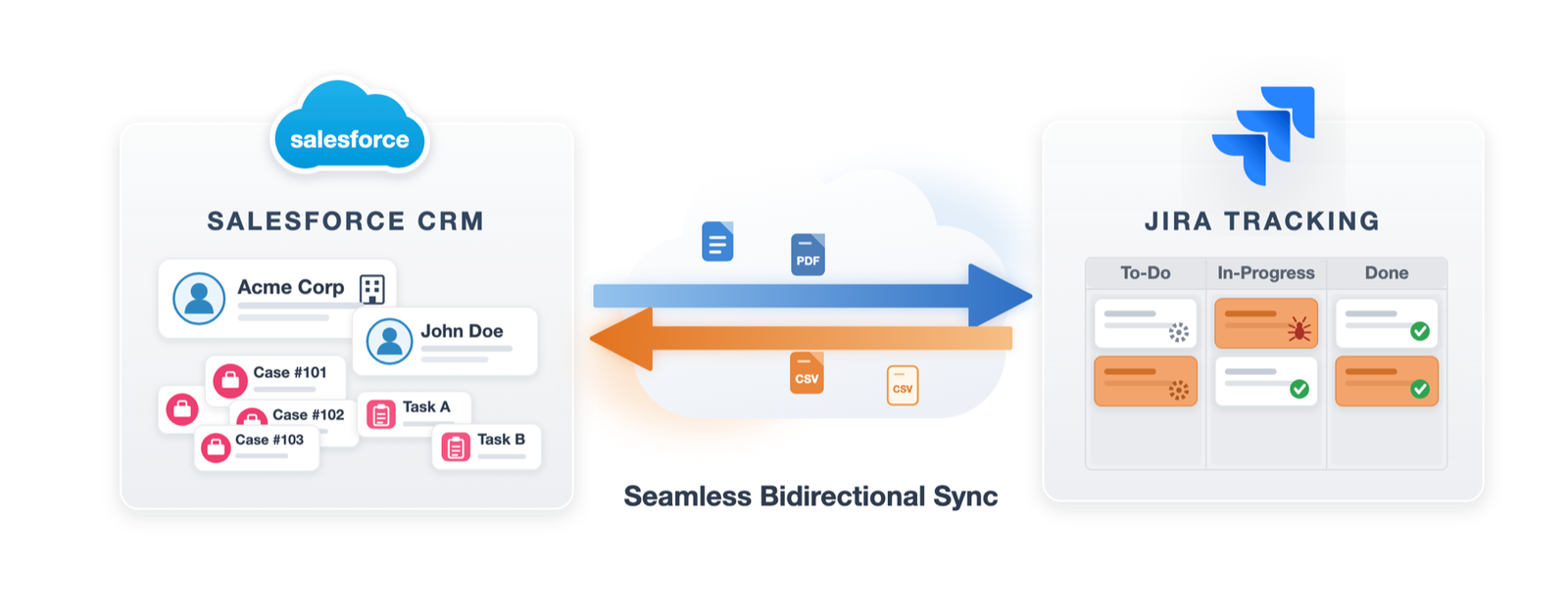
A Salesforce–Jira integration closes that gap by synchronizing customer cases, engineering issues, comments, attachments, and status updates in real time. This guide covers why it’s essential in 2026, the challenges to plan for, how the main approaches compare, the best practices that keep data clean, and how ADL Connect connects the two platforms in under 15 minutes.
Why it matters
Why Integrate Salesforce and Jira?
Salesforce and Jira serve different teams, but they support the same customer journey. Salesforce helps sales and support manage relationships and resolve cases; Jira helps engineering track bugs, development tasks, and product improvements.
Without a connection between them, teams work in silos and rely on manual communication to stay aligned — exactly where things slip through the cracks. Integrating the two creates a single connected workflow where customer context and engineering progress stay in sync.
The problem
Common Salesforce–Jira Integration Challenges
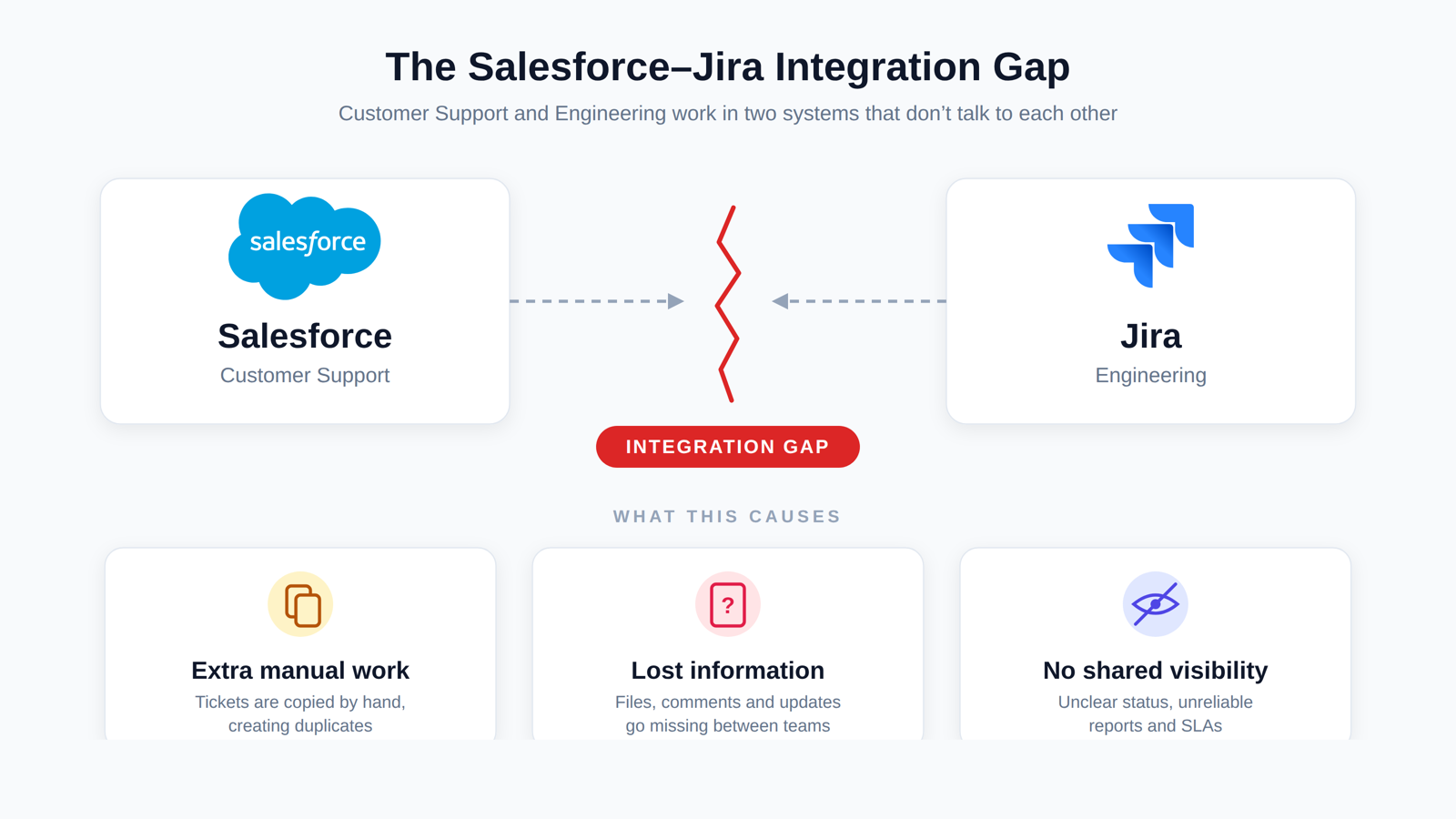
Most teams that haven’t integrated yet hit the same recurring problems with disconnected systems. Individually they look minor — together they drain productivity and erode the customer experience.
Manual copying
Cases are re-keyed from Salesforce into Jira by hand, wasting hours every week.
Duplicate tickets
The same issue is logged twice, leaving inconsistent information across systems.
Delayed communication
Updates crawl between support and engineering, slowing every hand-off.
Missing information
Attachments and comments get lost in translation between the two tools.
Unreliable reporting
Inaccurate data breaks SLA tracking and makes reporting untrustworthy.
No shared visibility
Support can’t see the real status of an engineering issue — and vice versa.
Choosing an approach
Native vs Middleware vs Pre-Built App
There are three ways to connect Salesforce and Jira: build it yourself, route through a middleware/iPaaS platform, or install a pre-built AppExchange app. Here’s how they compare across what matters most.
Factor
Native (DIY)
Middleware (iPaaS)
Pre-Built App Best fit
Setup & implementation
DrawbackHeavy engineering effort — developers hand-write code to connect APIs and map data.
Trade-offIntensive external setup, security-policy config, and complex cross-system routing.
SeamlessOne-click managed-package install. Go live in under 15 minutes via a guided drag-and-drop UI.
Ongoing maintenance
DrawbackContinuous in-house ownership of API updates, OAuth, and retry logic.
Trade-offExpensive admin overhead; dedicated admins manage updates and connection flows.
SeamlessMaintenance-free. Updates track the latest Salesforce and Jira releases, backed by experts.
Cost & pricing
DrawbackHidden labor cost of ~0.5–1.0 full-time employee per year.
Trade-offHigh licensing, quote-based contracts, and usage fees that scale with volume.
SeamlessTransparent flat-rate pricing with a free tier to evaluate first.
Latency & performance
DrawbackProne to API limits and failures during high-volume spikes.
Trade-offHigher latency — scheduled jobs leave teams on stale data.
SeamlessReal-time sync — secure notifications deliver updates in ~2 seconds.
Security & architecture
DrawbackRisk of credential sprawl and token leakage from custom scripts.
Trade-offSensitive records leave your CRM for third-party processing servers.
SeamlessRuns 100% inside your Salesforce org, honoring FLS, permissions, and credentials.
The payoff
Benefits of Real-Time Synchronization
Real-time sync keeps Salesforce and Jira connected automatically, so every team works from the same up-to-date information.
Automatic creation of Jira issues from Salesforce cases
Two-way sync of statuses, comments, and attachments
Less manual work and fewer data-entry errors
Faster issue resolution and cleaner hand-offs
Tighter support–engineering collaboration
Better customer communication and higher satisfaction
Do it right
Integration Best Practices
A successful integration is as much about planning as tooling. These practices keep data accurate and performance reliable.
Map fields first
Define your field mappings before implementation to avoid rework.
Enable two-way sync
Turn on bi-directional sync wherever updates flow both ways.
Sync the whole story
Include comments and attachments, not just fields.
Monitor the logs
Review integration logs regularly to catch issues early.
Apply permissions
Use role-based access to protect sensitive customer data.
Test before launch
Validate every workflow thoroughly before deployment.
Review periodically
Revisit sync rules as your processes evolve.
The solution
Why Choose ADL Connect?
ADL Connect is a Salesforce-native AppExchange application built to make Salesforce–Jira integration simple — no middleware and no custom code.
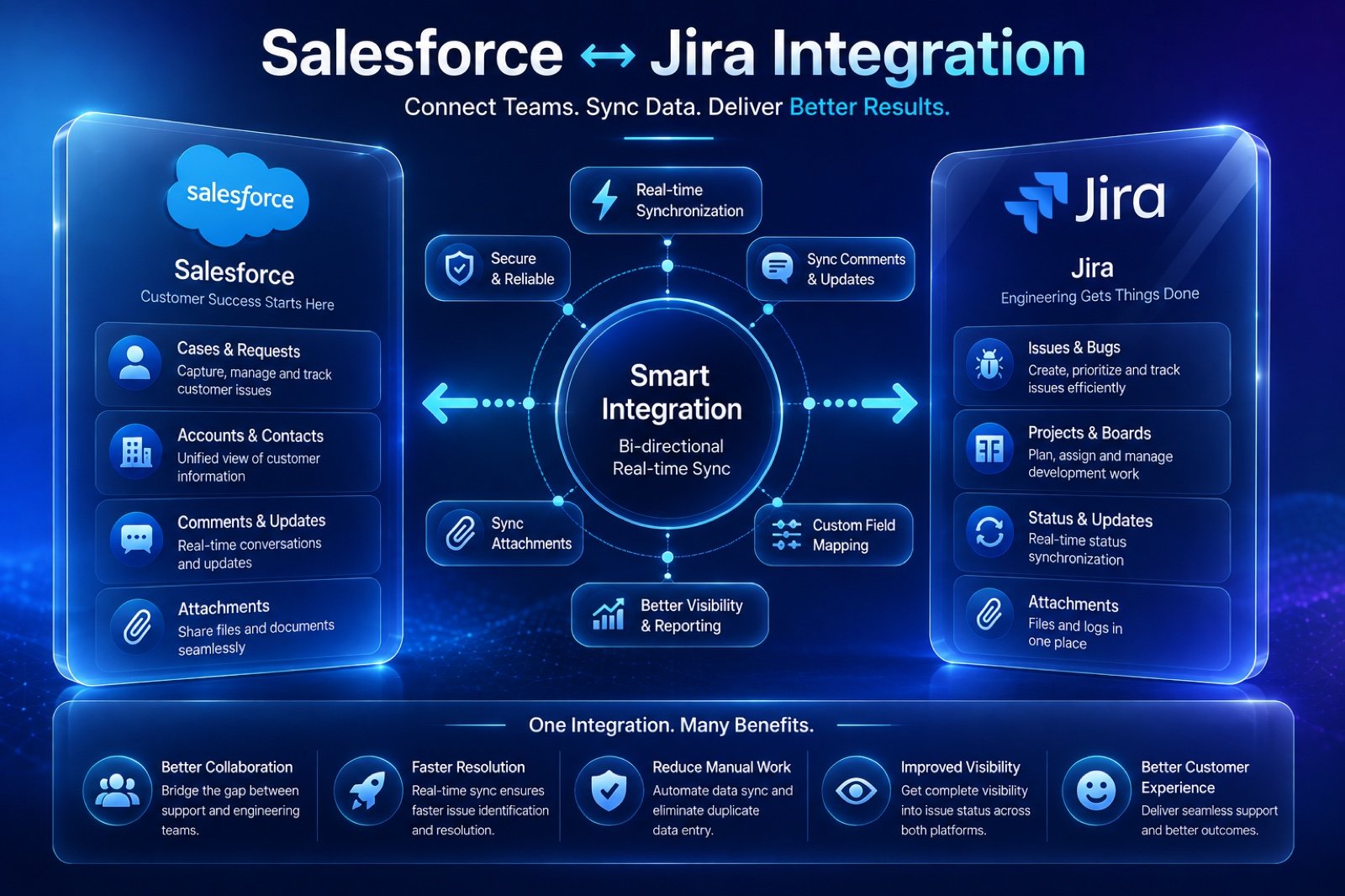
It syncs customer cases, engineering issues, comments, attachments, custom fields, and status updates in real time. With configurable field mapping, secure bi-directional sync, and enterprise workflow support, your teams keep using the tools they already know.
No multi-month project and no ongoing admin burden — just three steps.
1
Install the package
Get ADL Connect from the Salesforce AppExchange with one click — no IT tickets or external hosting.
2
Connect & authorize
Link Salesforce and Jira via secure Named Credentials and OAuth. The connection stays inside your security boundary.
3
Map objects & fields
Use the drag-and-drop UI to link standard objects (Cases, Accounts, Opportunities) or custom fields, and go live.
Connect Teams. Sync Data. Deliver Better Results.
Integrating Salesforce and Jira is now a business necessity, not a technical convenience. A well-planned integration eliminates manual work, improves cross-team visibility, and speeds up customer issue resolution — while keeping your data secure and license costs under control.
It connects Salesforce (CRM) and Jira (issue tracking) so cases, issues, comments, attachments, and status updates stay synchronized — in real time and, ideally, in both directions.
Is a native AppExchange app better than middleware?
For most teams, yes. A native app like ADL Connect installs in minutes, runs inside your Salesforce org’s security boundary, needs no separate platform to administer, and avoids sending customer data to third-party servers — while middleware adds licensing cost, admin overhead, and latency.
Does ADL Connect support two-way (bi-directional) sync?
Yes. Statuses, comments, attachments, and mapped fields sync both ways, so an update in Jira is reflected in Salesforce and vice versa.
How long does it take to set up?
Most teams go live in under 15 minutes: install the managed package, authorize with Named Credentials and OAuth, then map your objects and fields with the drag-and-drop UI.
Is there a free version?
Yes. The Startup (Freemium) plan is free forever for up to 5 users with 1,000 monthly callouts, so you can evaluate before scaling up.
Excellent guide — this covers the Salesforce–Jira integration landscape more thoroughly than most articles I’ve come across. The breakdown of native vs. middleware vs. pre-built app approaches is especially useful, because that’s exactly the decision point where most teams get stuck, and the hidden costs of each path are rarely spelled out this clearly.
A few observations from my own experience working in the Salesforce ecosystem that reinforce your points:
The “manual copying” problem you describe is even more expensive than most teams realize. It’s not just the hours spent re-keying cases into Jira — it’s the context that gets stripped out along the way. A support engineer summarizing a case into a Jira ticket inevitably drops details (reproduction steps, customer environment, attachment history), and engineering ends up going back and forth to recover information that already existed in Salesforce. Real-time sync of comments and attachments, not just fields, solves the actual problem rather than the visible symptom — so I’m glad you called that out explicitly under “Sync the whole story.”
Your point about the DIY approach costing roughly half to a full FTE per year matches what I’ve seen. Teams underestimate this badly because the initial build looks manageable — the real cost shows up over time in maintaining OAuth token refresh logic, adapting to Jira Cloud API changes, handling Salesforce governor limits during volume spikes, and building retry/error-handling that a vendor has already battle-tested. The integration itself is never “done.”
The security architecture point deserves even more emphasis in my opinion. With middleware, sensitive customer data leaves the Salesforce trust boundary and transits third-party servers, which triggers security reviews, DPAs, and sometimes outright rejection in regulated industries. A Salesforce-native approach that honors existing FLS and profile permissions is a much easier conversation with a security team — often the difference between a two-week approval and a two-quarter one.
One practice I’d add to your best-practices list: define ownership of the sync rules early. Field mappings tend to drift when Salesforce admins and Jira admins each change their side independently. Having a single owner (or a lightweight change process) for the mapping configuration prevents the slow decay where synced fields quietly stop lining up — which usually only gets noticed when an SLA report looks wrong.
Also worth mentioning for readers: the two-way status sync is where the cultural payoff happens. Once support can see live engineering status inside the case, the “any update on this?” Slack pings and internal escalation emails drop dramatically. That’s hard to quantify in an ROI sheet but it’s the change teams feel first.
Thanks for putting this together — bookmarking it to share with colleagues evaluating their integration options for 2026.


Excellent guide — this covers the Salesforce–Jira integration landscape more thoroughly than most articles I’ve come across. The breakdown of native vs. middleware vs. pre-built app approaches is especially useful, because that’s exactly the decision point where most teams get stuck, and the hidden costs of each path are rarely spelled out this clearly.
A few observations from my own experience working in the Salesforce ecosystem that reinforce your points:
The “manual copying” problem you describe is even more expensive than most teams realize. It’s not just the hours spent re-keying cases into Jira — it’s the context that gets stripped out along the way. A support engineer summarizing a case into a Jira ticket inevitably drops details (reproduction steps, customer environment, attachment history), and engineering ends up going back and forth to recover information that already existed in Salesforce. Real-time sync of comments and attachments, not just fields, solves the actual problem rather than the visible symptom — so I’m glad you called that out explicitly under “Sync the whole story.”
Your point about the DIY approach costing roughly half to a full FTE per year matches what I’ve seen. Teams underestimate this badly because the initial build looks manageable — the real cost shows up over time in maintaining OAuth token refresh logic, adapting to Jira Cloud API changes, handling Salesforce governor limits during volume spikes, and building retry/error-handling that a vendor has already battle-tested. The integration itself is never “done.”
The security architecture point deserves even more emphasis in my opinion. With middleware, sensitive customer data leaves the Salesforce trust boundary and transits third-party servers, which triggers security reviews, DPAs, and sometimes outright rejection in regulated industries. A Salesforce-native approach that honors existing FLS and profile permissions is a much easier conversation with a security team — often the difference between a two-week approval and a two-quarter one.
One practice I’d add to your best-practices list: define ownership of the sync rules early. Field mappings tend to drift when Salesforce admins and Jira admins each change their side independently. Having a single owner (or a lightweight change process) for the mapping configuration prevents the slow decay where synced fields quietly stop lining up — which usually only gets noticed when an SLA report looks wrong.
Also worth mentioning for readers: the two-way status sync is where the cultural payoff happens. Once support can see live engineering status inside the case, the “any update on this?” Slack pings and internal escalation emails drop dramatically. That’s hard to quantify in an ROI sheet but it’s the change teams feel first.
Thanks for putting this together — bookmarking it to share with colleagues evaluating their integration options for 2026.